
Every check, done, timestamped and visible, at every venue.
Push the same opening, closing, cleaning and duty checks to every site, completed on any device with a photo where it matters. So good routines are the default, not down to memory.
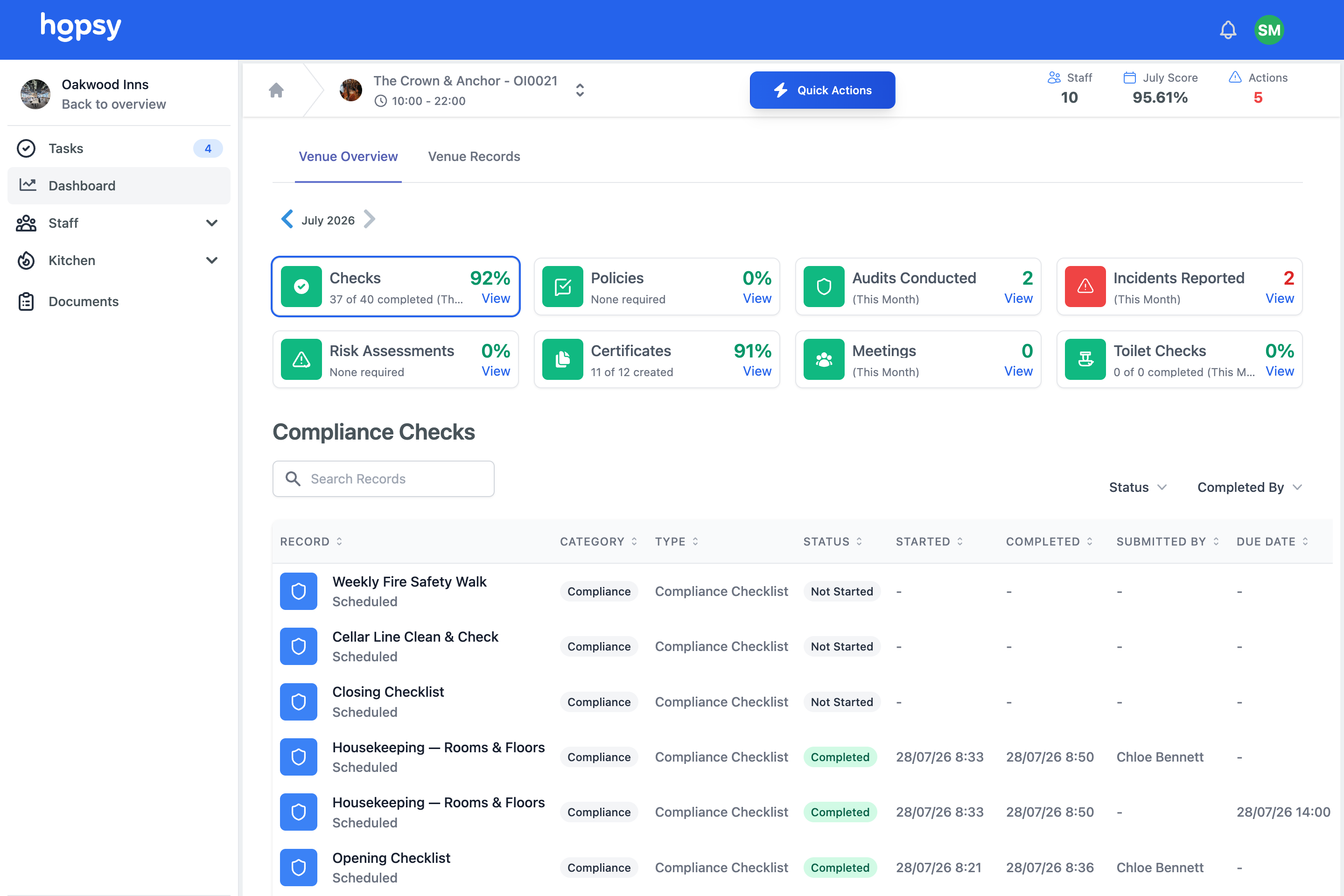
What are Hopsy's digital checklists?
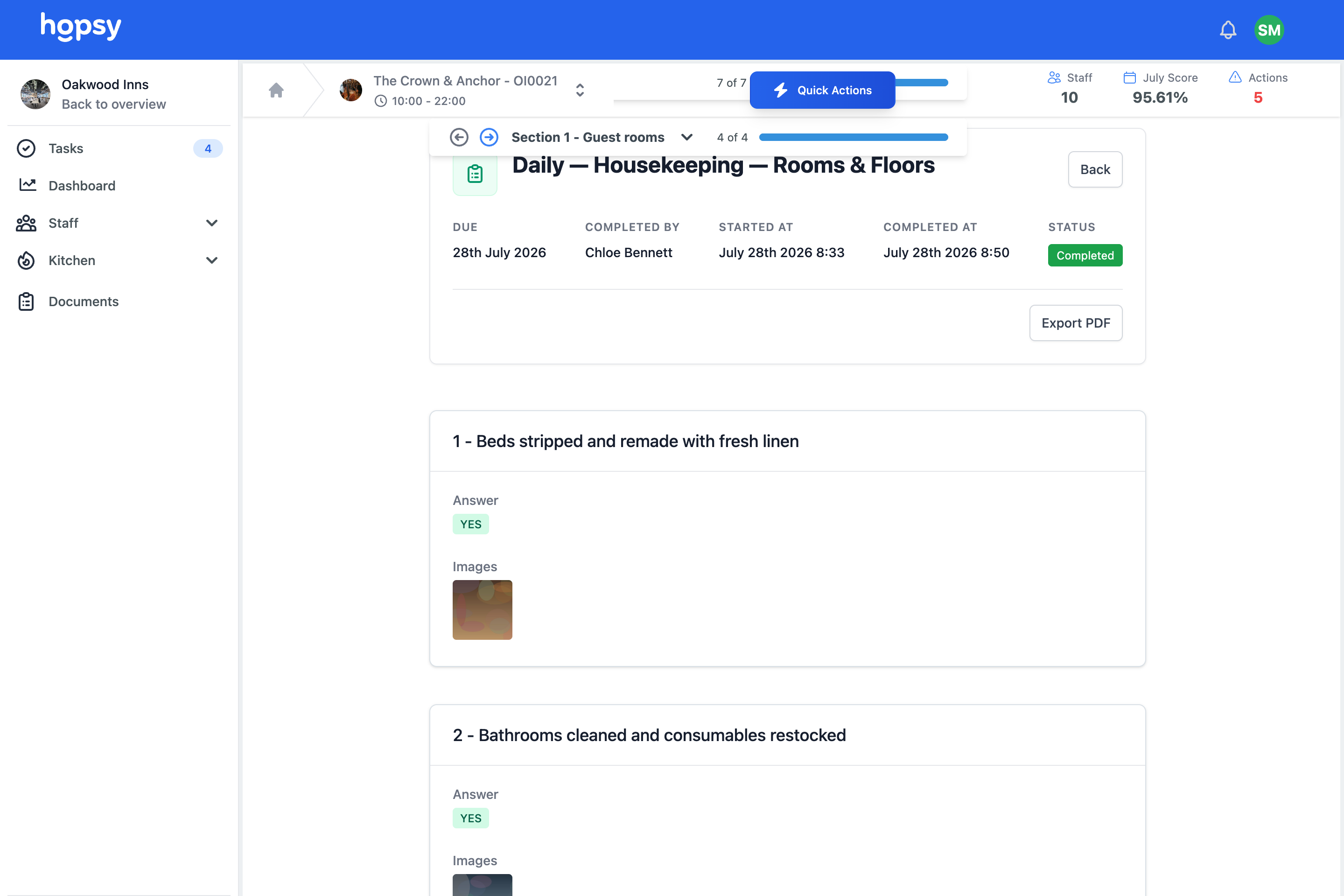
Hopsy digital checklists let you build a checklist once at company level and push the same opening, closing, cleaning and duty checks to every site, completed on any device with photos, temperatures or signatures where needed. Time windows and time and name stamps stop checks being skipped or back filled, and guidance is built into each task. Missed checks are flagged immediately and completion rolls up, so head office can see which venues are keeping to the routine.
The problem, if this sounds familiar
Checklists are the backbone of a well run venue, and paper lets them down like this.
Checks get skipped and back filled.
On paper, a missed check is easy to hide and easy to fill in later, so the record says done when the work was not.
You cannot see what was done.
The clipboard lives at the venue, so unless you are there, you have no idea whether the opening or closing routine actually happened.
Every site drifts its own way.
Without one standard, each venue builds its own version of the routine, and quality becomes a lottery.
How digital checklists work in Hopsy
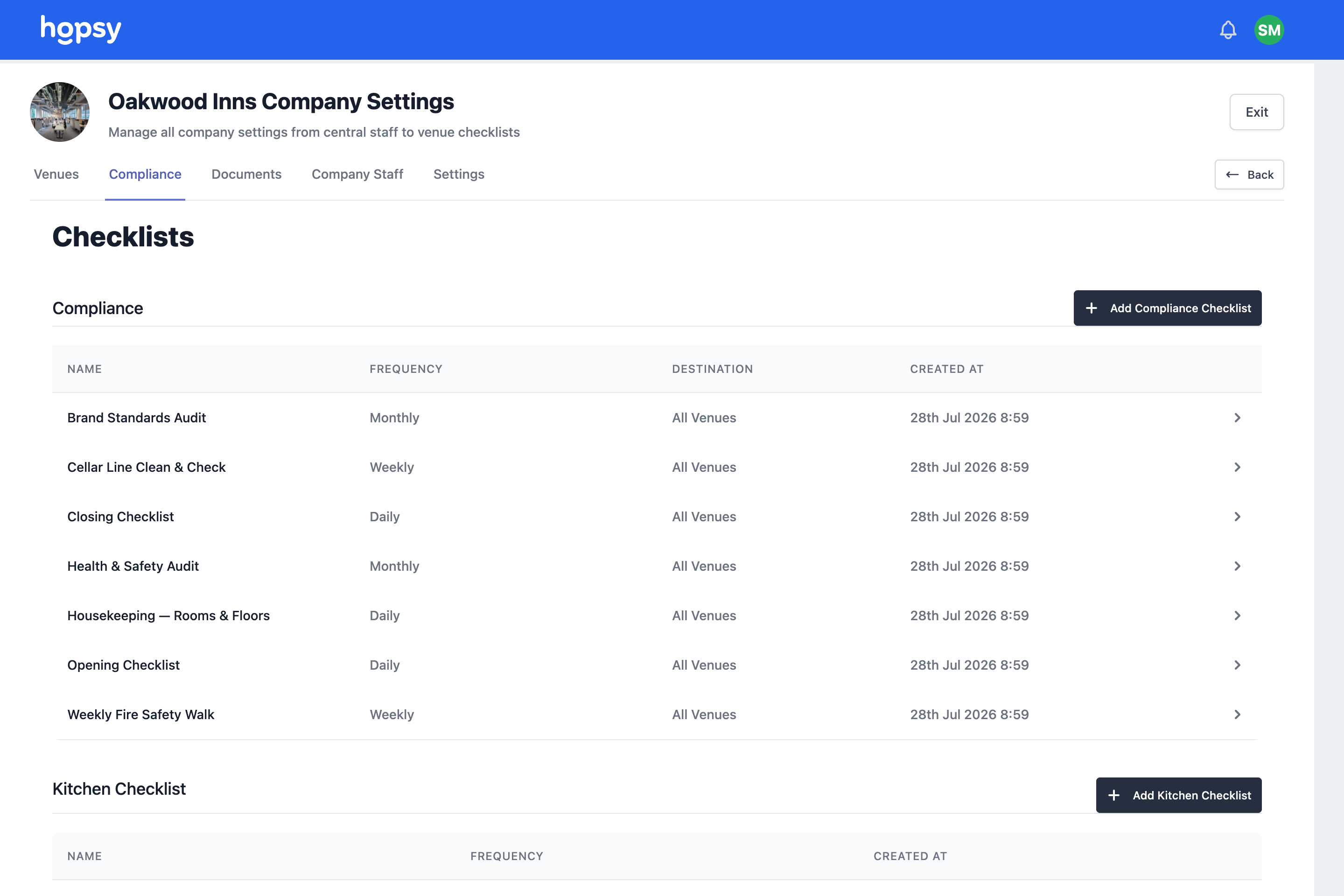
Set once, pushed everywhere
Build a checklist at company level and target it at every venue, or only the sites, brands, departments or roles that need it, so the standard reaches everywhere from one place.
- Daily, weekly, monthly or custom schedules
- Targeted by venue, brand, department or role
- New sites inherit the standard automatically
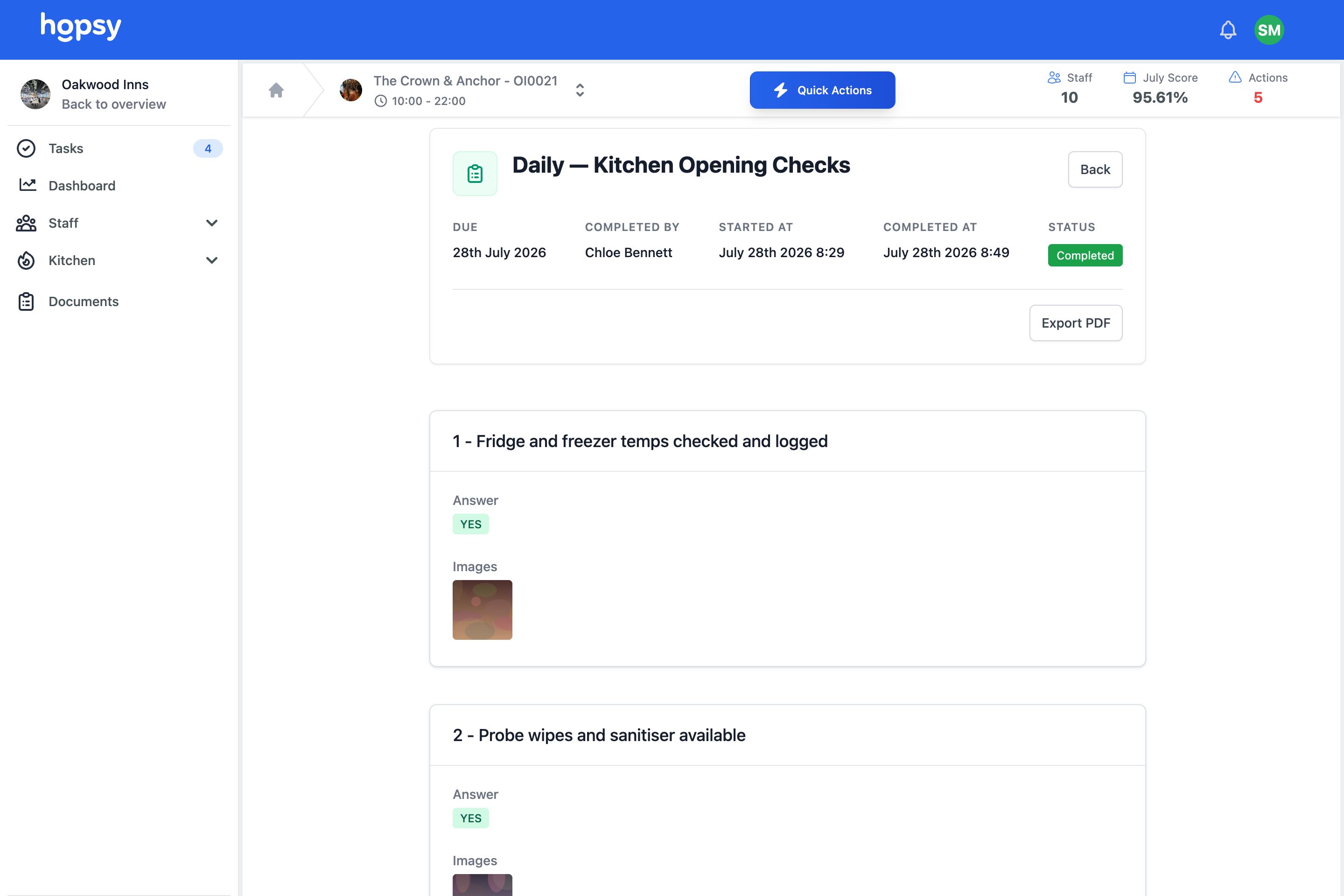
Completed with evidence, in order
Staff work through the checklist on any device, with time windows, required photos, temperatures or signatures where you set them, and guidance built into the task itself.
- Time windows for when a check is due
- Photos, temperatures and signatures where needed
- Guidance photos showing how it should look
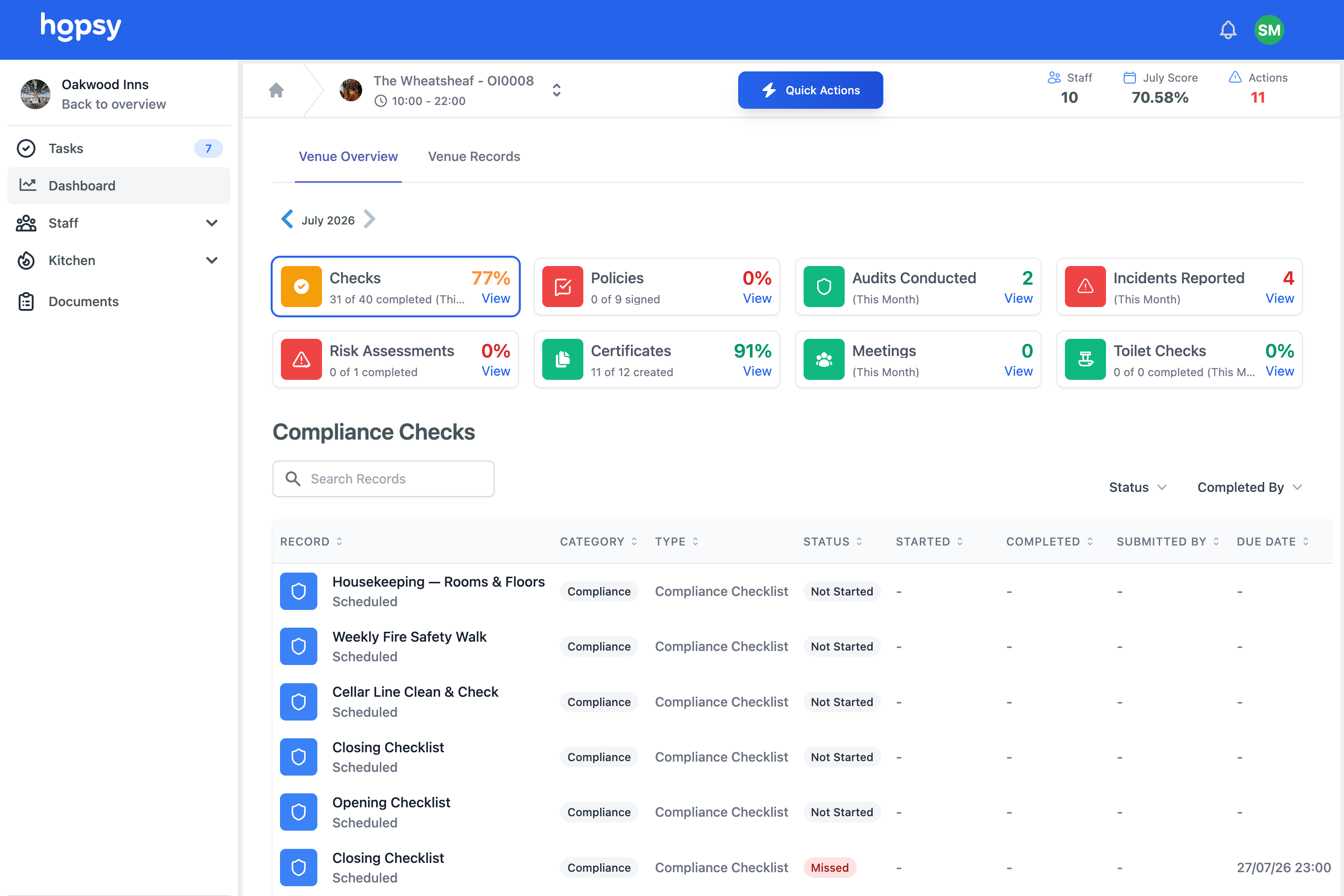
Missed checks surfaced immediately
A missed or overdue check is visible at once and can raise a corrective action, and completion rolls up so head office sees which sites are keeping to the routine.
- Missed and overdue checks flagged
- Corrective actions raised automatically
- Completion visible across every venue
At a glance
- Opening, closing, cleaning, cellar and duty checks
- Set once at head office, pushed to every site
- Time windows, photos, temperatures and signatures
- Guidance built into the task
- Missed checks flagged and completion visible everywhere
See How Hopsy Can Help Your Business
From rota management to compliance and more. Hopsy is there to help you every step of the way.
Each is a way into the same connected system. Start with the one that’s hurting most — every feature builds to one of the five outcomes.
Digital checklists, frequently asked questions
Can different venues have different checklists?
Yes. You can push a checklist to every venue or target it at specific sites, brands, departments or roles, so each site gets what is relevant within one standard.
What stops staff back filling checks?
Checks have time windows, and each completion is time and name stamped, with photos or temperatures where required, so a check cannot simply be ticked after the fact without it showing.
Can I see completion across all my sites?
Yes. Completion rolls up so you can see which venues are keeping to the routine and which are falling behind, from anywhere.
Make the good routine the default, at every site.
Set up a venue, push a checklist and watch it come back done. Free, no card.