
Know exactly who worked, when, and for how long.
Staff clock in on their own phone, tied to the venue by GPS. Planned and actual hours sit side by side, so the hours you pay for are the hours that were actually worked.
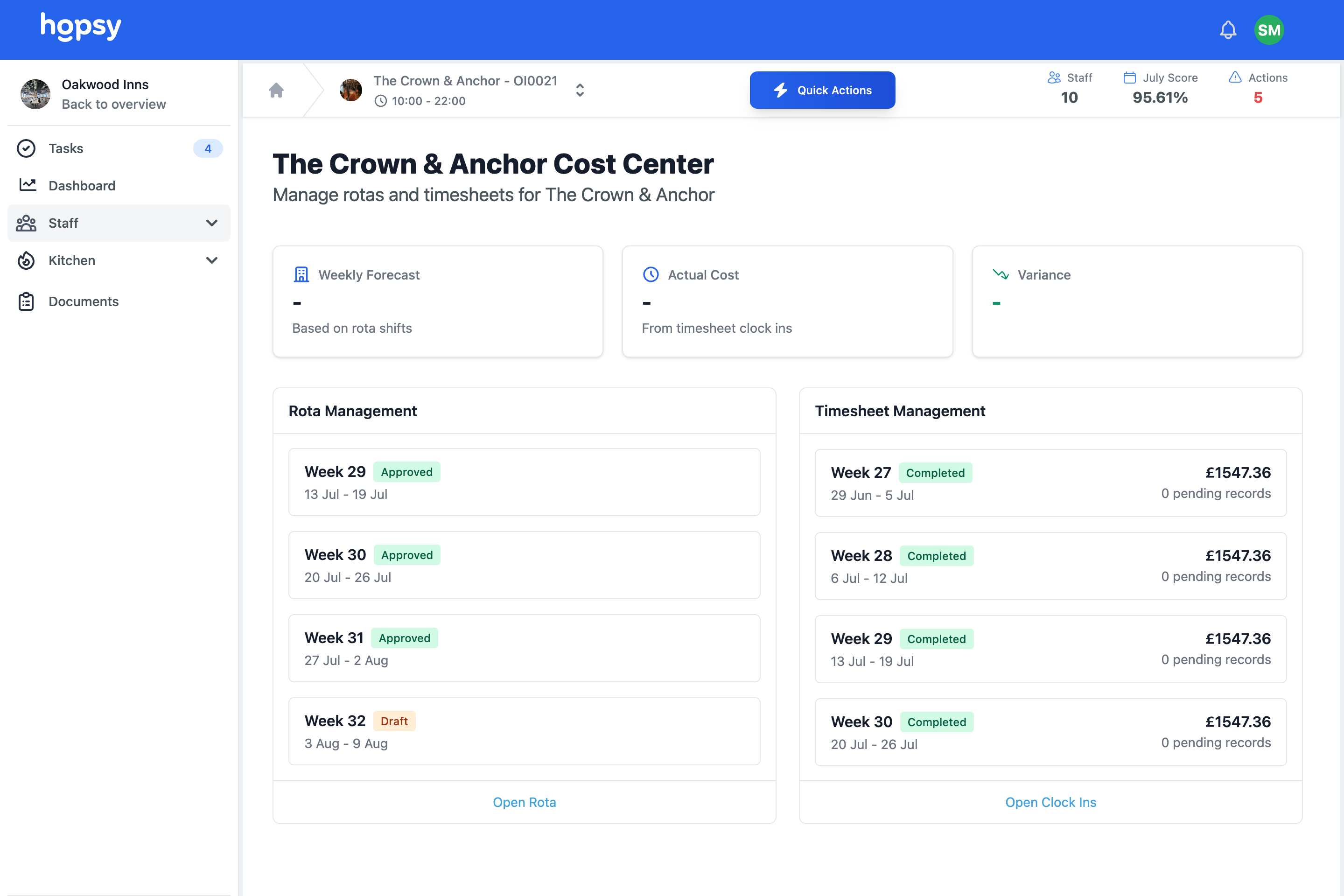
What is Hopsy's time and attendance software?
Hopsy time and attendance software lets staff clock in on their own phone, tied to the venue by GPS, so off site clock ins are flagged and the record can be trusted. Planned and actual hours sit side by side, compared automatically, and once the week is approved worked hours export as a clean CSV ready for payroll. It is part of one app with your rota and wage cost, so labour data is never stranded in a standalone tool.
The problem, if this sounds familiar
Timekeeping is where labour cost quietly leaks. It usually shows up like this.
Hours drift, and you pay for it.
Staff clock in early, leave late, or get marked present when they are not, and every few minutes adds up across a week and a team.
Clock in cannot be trusted.
Where staff can clock in remotely or for each other, the record stops meaning anything, and payroll is built on numbers you cannot rely on.
Reconciling hours is a manual job.
Working out actual hours against the rota, then getting it ready for payroll, eats a manager's time every single week.
How time and attendance works in Hopsy
GPS clock in tied to the venue
Staff clock in on their own device, located at the site. If they are not there, it is flagged. Clock in works on mobile, and mobile GPS is more accurate than desktop, so the record is stronger where it matters.
- Clock in on the staff member's own phone
- Located at the venue by GPS
- Off site clock ins flagged to the manager
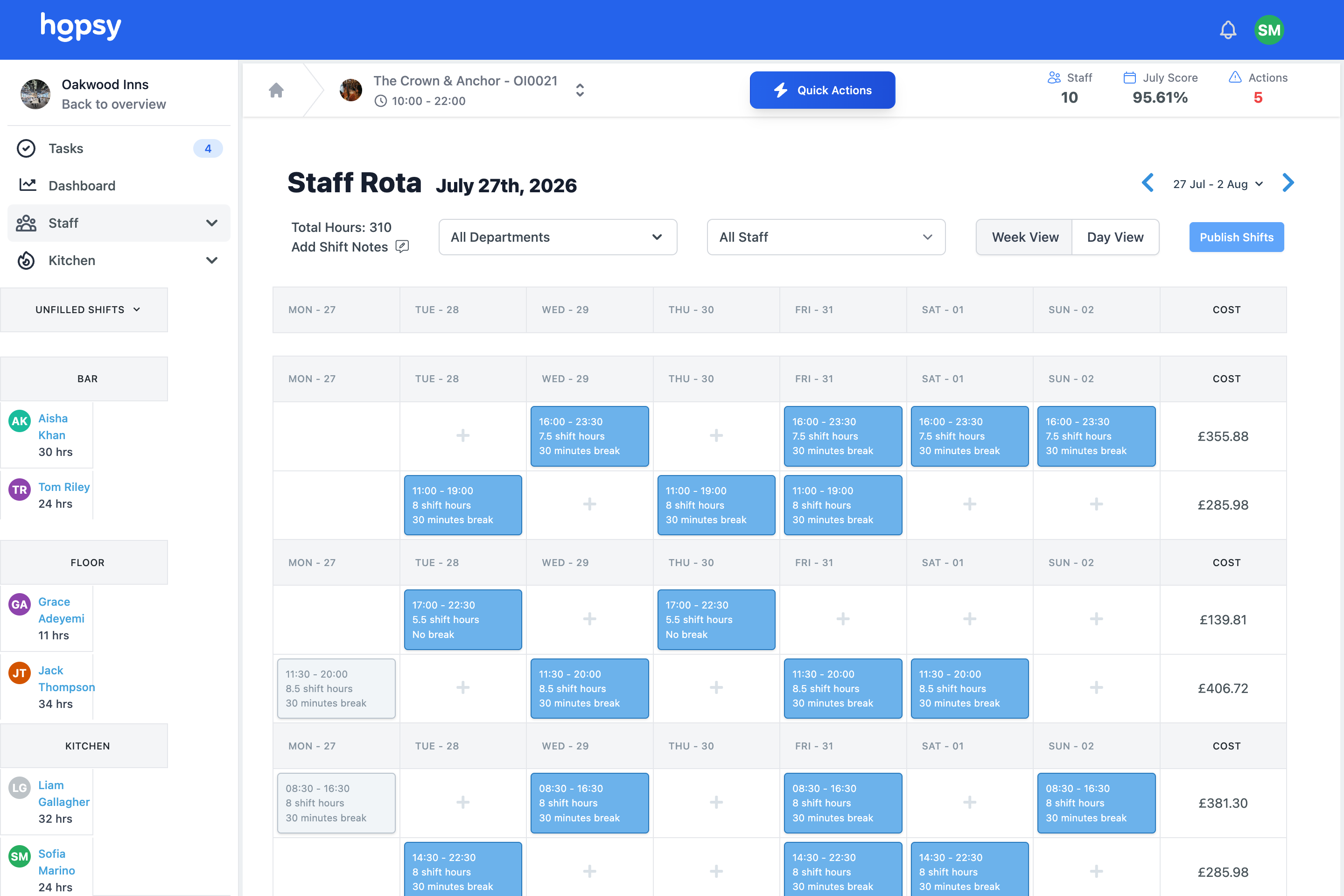
Planned against actual, side by side
Every clock in sits next to the shift it was meant to be. A cleaner rota'd eight until ten who clocked out at eleven is visible immediately, and the manager approves, adjusts or queries it with a reason.
- Planned and worked hours compared automatically
- Differences flagged for approval
- Reasons recorded against every adjustment
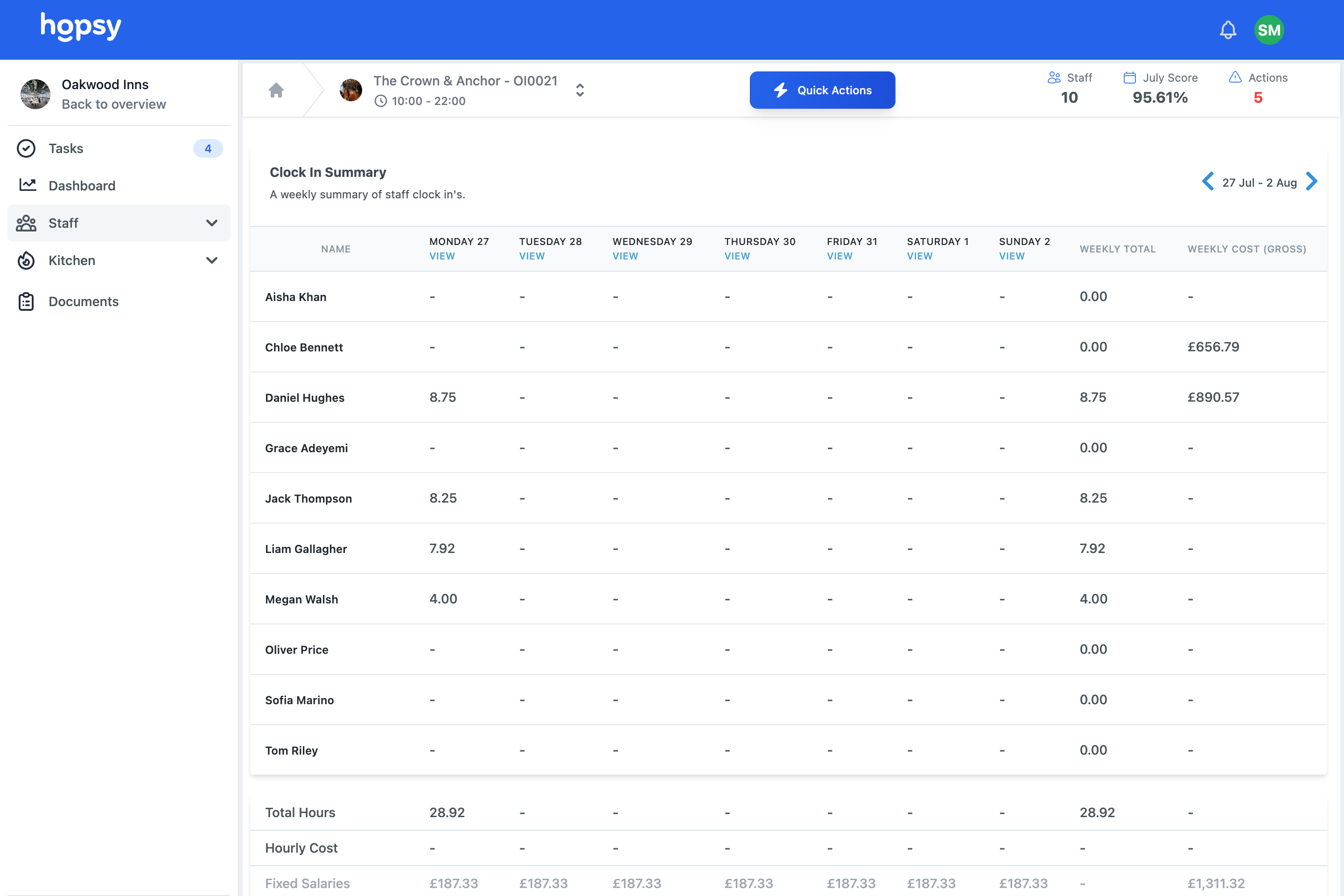
Weekly sign off, ready for payroll
Once the week is reviewed and approved, worked hours export as a CSV ready for your payroll provider or accountant, so the handover is a click, not a rebuild.
- Approve the week in one place
- Export a clean CSV for payroll
- A record of who approved what, and when
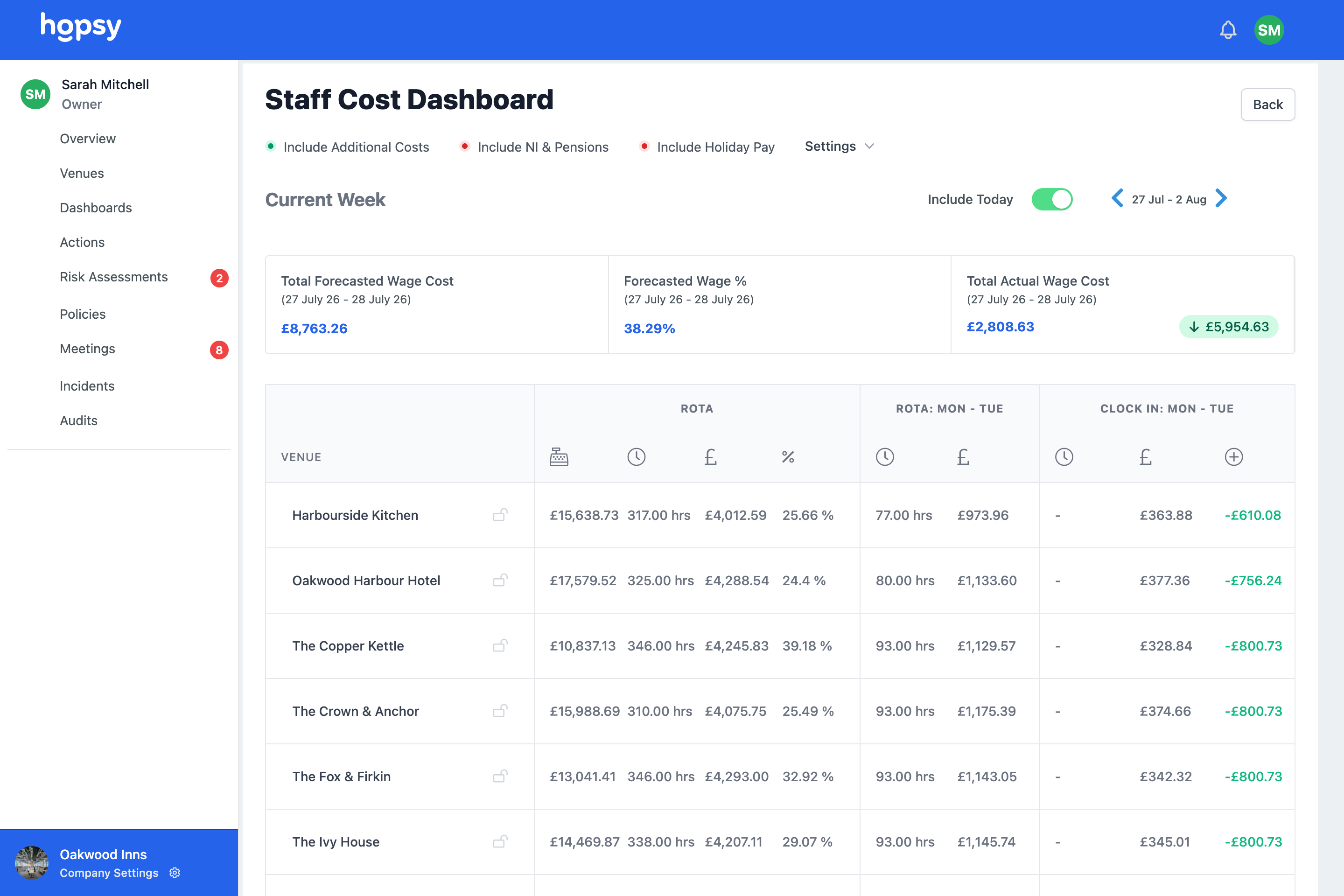
At a glance
- GPS clock in tied to the venue, on the staff member's own phone
- Planned against actual hours, compared automatically
- Off site or mismatched clock ins flagged for approval
- Weekly sign off and clean CSV export for payroll
- Connected to the rota and wage cost, in one app
See How Hopsy Can Help Your Business
From rota management to compliance and more. Hopsy is there to help you every step of the way.
Each is a way into the same connected system. Start with the one that’s hurting most — every feature builds to one of the five outcomes.
Time and attendance, frequently asked questions
How does GPS clock in work?
Staff clock in on their own phone, which is located at the venue by GPS. A clock in from outside the venue is flagged to the manager, so the record can be trusted.
What happens if someone forgets to clock out?
The system flags the mismatch against the planned shift, and the manager can adjust it with a recorded reason, so you are not silently paying for hours that were not worked.
Can I export hours to my payroll system?
Yes. Once the week is approved, worked hours export as a CSV ready for your payroll provider or accountant.
Does it need special hardware?
No. It works on the phone or device your team already has, and mobile GPS is more accurate than a fixed terminal.
Pay for the hours that were actually worked.
Set up a venue, clock a shift in and see planned against actual for yourself. Free, no card.